
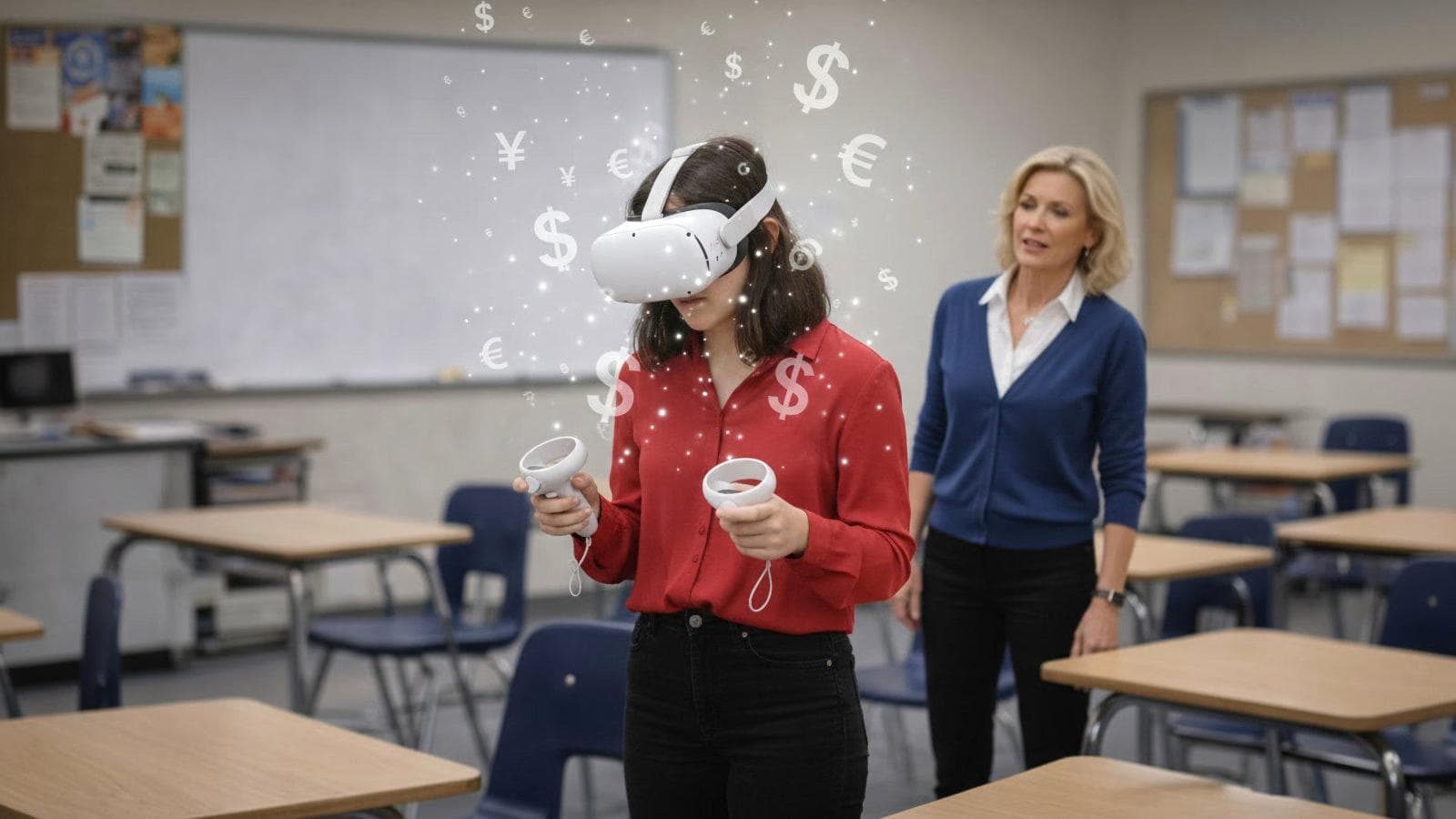
A headset might cost $500, $1,000 or more. But what happens after it arrives? How much teacher time does it consume? How much IT support? How many students can realistically use it at once? How often will it actually be used? And what does it cost to deliver one useful learning session?
That is what the Sensible-VR Cost Calculator is trying to explore.
It was not created to be controversial, and it certainly is not intended to produce one definitive answer.
It was created to open the conversation.
The calculator is designed to be argued with.
If you disagree with one of my assumptions, good. Change it.
But count the same kinds of costs for every system.
The question I am really asking
The most useful number may not be:
How much does the headset cost?
A better question is:
What does it cost to deliver one 15-minute student learning session?
The calculator looks at that question over five years.
Why five years? Because educational technology should not be bought with the expectation that it will become disposable after twelve months. If a school is making a significant capital investment, it should reasonably expect to use that equipment for several years.
And it should also expect to use it regularly.
ASSUMPTION 1: Utilization
The default calculator assumes:
12 × 15-minute student sessions per device per school day.
That equals three hours of use.
Over a 180-day school year:
12 × 180 = 2,160 student sessions per device per year.
Over five years:
10,800 student sessions per device.
Previously, I used the theoretical capacity of 24 sessions per day: six hours of continuous use. That was too aggressive as a default.
At the other extreme, using an expensive educational device once or twice per day makes the capital expenditure difficult to justify.
I settled on 12.
Is that the right number for your school? Maybe not. Change it.
That is the point of the calculator.
ASSUMPTION 2: Teacher supervision
This will probably remain the most debated assumption.
When students are physically moving while immersed in VR, there are legitimate questions of space, safety, assistance and supervision.
Manufacturers themselves provide guidance around defined play areas and physical safety. Room-scale 6 DoF is not the same classroom proposition as handing a student a calculator.
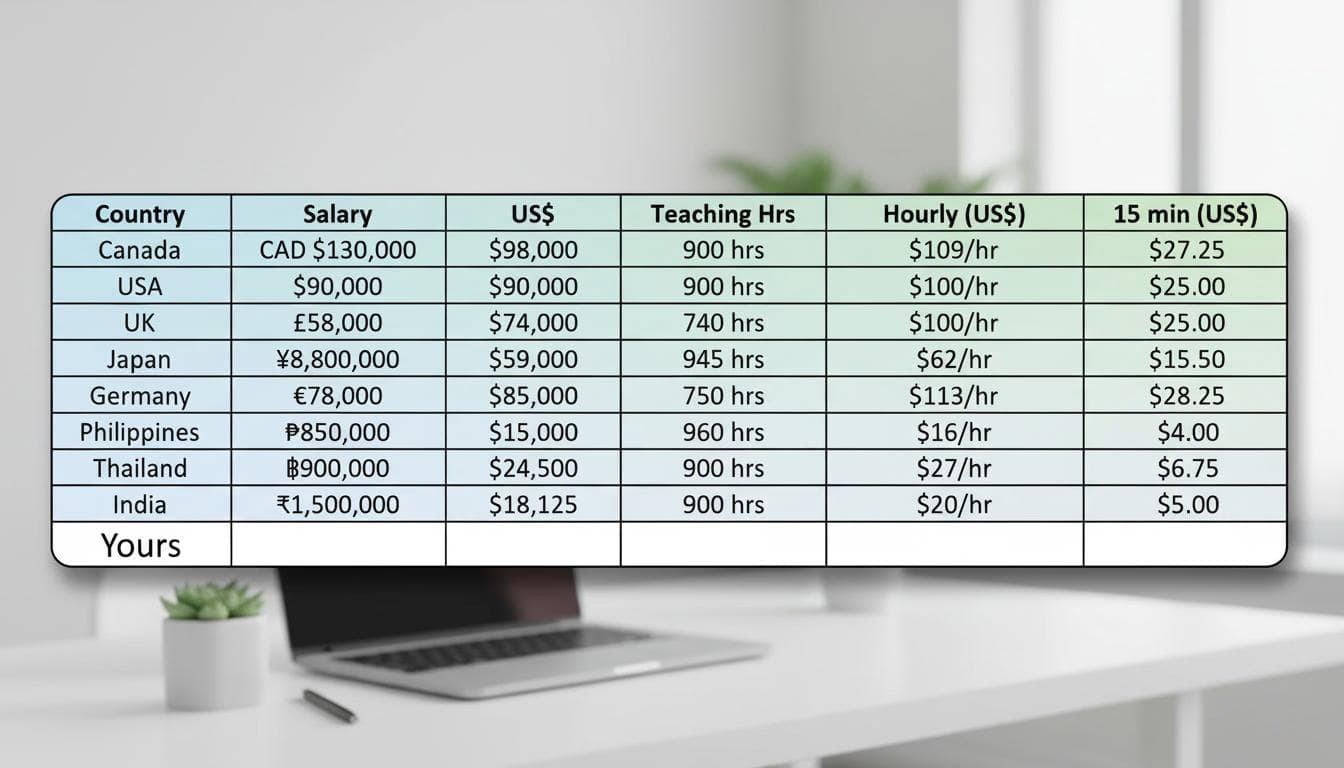
My default assumption is that an ordinary teacher can reasonably supervise two moving 6 DoF users at one time.
I know some people will object immediately.
Fine.
Think it is five? Enter five.
Think it is ten? Enter ten.
Two is not presented as a scientific constant. It is based on my own years of practical experience with VR in schools, demonstrations, events and classrooms. This is also based on anecdotal evidence from a university in Kyoto.
Another consideration is that to judge this as a technology to be scaled, an average teacher, not a champion teacher, will need to supervise 6 DoF usage. Consider this to be Mrs. Applebaum.
The important issue is not whether you agree with my number.
It is whether supervision should be entered as zero.
I don't believe it should.
"But the teacher is already being paid."
This is one of the arguments I expect to hear. And technically, yes. But it will likely be an objection from someone without first-hand classroom experience.
If a salaried teacher spends 15 minutes supervising two students in VR, the school does not suddenly receive another invoice. But that does not make the teacher's time free.
If the teacher's attention is concentrated on two students, what is happening with the other 28?
The real issue is displaced instructional time.
Teacher salary is a cash expense the school was already paying. Teacher attention is a limited resource the school was expecting to use.
Those are not the same thing.
Being already paid does not make someone's time cost nothing. It simply makes the cost easier to hide.
That is why the calculator now distinguishes between costs that appear directly on an invoice and costs that are absorbed through staff time.
ASSUMPTION 3: Class Lab supervision
For a traditional 30-device classroom lab, I use a default of:
One teacher supervising 30 students.
Again, it is adjustable.
This kind of system removes much of the individual movement issue, but it can introduce a different operational model: distributing content, managing devices, connecting systems and supporting an entire class set of hardware. It requires PD for all teachers who may wish to use VR, which is another annual cost and time burden.
So, the teacher-supervision cost falls dramatically, but IT and operational costs do not necessarily disappear.
ASSUMPTION 4: Routine handling applies to everyone
This is an important part of the calculator. Every physical device requires some handling. Headsets need to be stored. They need charging. They need cleaning. Someone occasionally needs to check them.
The calculator gives all three systems the same routine handling allowance:
15 minutes per school day for every group of up to 30 devices.
SVR does not get a free pass. Nor should it. The argument is not that SVR costs nothing to operate. The argument is that different architectures can consume very different amounts of human time.
ASSUMPTION 5: IT support
IT is treated separately from routine device handling.
A Class Lab defaults to 180 hours of IT/support per year, approximately one hour per school day. WiFi setups, loading and unloading content, prepping headsets for classes.
SVR defaults to zero recurring IT hours. That does not mean nobody ever touches an SVR headset. Routine handling has already been counted.
It means that normal SVR use does not require an ongoing model of Wi-Fi connection, online account management, content downloading or classroom troubleshooting.
And importantly, this number is adjustable too. If you believe SVR should require 20, 50 or 100 hours of IT support per year, enter it. See what happens.
Direct costs and absorbed costs
This distinction matters. Some costs arrive as invoices:
- hardware,
- subscriptions,
- licences,
- external services.
Other costs arrive as someone's time:
- teacher supervision,
- IT support,
- setup,
- troubleshooting,
- charging,
- cleaning,
- device management.
Schools are usually very good at recording the first category.
The second can disappear into the working day.
But:
An absorbed cost is still a cost.
It may not increase someone's salary, but it consumes a resource that could have been doing something else.
At small scale, a passionate champion teacher can sometimes absorb enormous amounts of this work.
That can make a technology appear deceptively simple.
Scale it across classrooms, schools or districts, however, and somebody still has to do the work.
SVR costs more to buy
This deserves to be said plainly. In many comparisons, SVR has the highest initial hardware price. Quality hardware, meant to last, costs. This is celebrated, and not hidden.
In fact, that is one of the most important reasons for creating this calculator.
Costs more to buy does not necessarily mean costs more to use.
Conversely, a cheaper headset can become expensive if every learning session continually consumes teacher time, IT time, management systems, subscriptions or technical intervention.
The purchase price is visible. The operating model often isn't.
What is not included
The calculator intentionally does not pile every conceivable expense onto competing systems. Depending on the system and institution, additional costs could include:
- professional development,
- MDM or device-management subscriptions,
- additional platform subscriptions,
- replacement controllers and accessories,
- breakage,
- Wi-Fi infrastructure,
- facilities and physical space,
- and third-party learning content.
These are not automatically added. That is deliberate.
The calculator should remain conservative rather than becoming a tool for manufacturing the largest possible number.
There is, however, an important asymmetry worth understanding:
SVR's price includes its core preloaded learning content and perpetual content licence. Comparable content costs are not currently being added to the other categories.
Content, arguably the most important part of an educational VR system, is not yet fully represented in this comparison.
Change my numbers
This may be the most important section of the entire article.
Think one teacher can supervise five 6 DoF students? Change it.
Think your devices will only be used six times per day? Change it.
Think they will be used 18 times? Change it.
Your teachers cost less? Change it.
Your IT department costs more? Change it.
Think SVR requires recurring IT support? Add it.
You do not have to accept my assumptions to use the calculator.
In fact, I would rather you didn't.
Use your own. Then compare the systems consistently.
Why cost per session matters
A five-year total can become a very large number. Sometimes so large that the first reaction is simply:
"That can't possibly be right."
That is why the calculator also focuses on:
Cost per 15-minute student learning session.
That number makes the comparison easier to understand.
- Hardware is spread across the learning it actually delivers.
- Staff time is attached to the sessions that consume it.
- Higher utilization lowers the fixed hardware cost per session.
- Greater supervision requirements increase the labour component.
That is how total cost of ownership should work.
This is not really about VR headsets
Ultimately, this is a procurement question.
If you bought a machine for $5,000 that required someone earning $50 an hour to stand beside it every time it operated, would you assess the purchase by looking only at the $5,000?
Of course not.
Yet with educational technology, staff time is routinely treated as though it were free because the teacher, technician or administrator was "already there."
They were already there. Their time was not.
That distinction matters.
And it matters enormously when a technology is expected to scale.
The point of the calculator
The Cost Calculator is not intended to prove that assumptions are universally correct. It is intended to make the assumptions visible.
It asks us to move beyond:
"What does the headset cost?"
and ask:
"What does it take to get one student learning?"
The ideal educational technology eventually becomes almost invisible.
"Yuki, pick up a device and learn about ______."
And that's it.
- No production.
- No event.
- No technical champion required.
- Just one learner, learning something.
Because:
The headset has a price. Using it has a cost.
Those are not the same thing.
And the cheapest headset is not necessarily the most economical way to learn.
Sources
- Sensible-VR — 5-Year VR Cost Calculator. Current calculator structure, adjustable assumptions and five-year comparison methodology.
- Meta Horizon OS Developers — Head / Roomscale guidance. Meta describes room-scale use as physical movement within a defined play area and recommends approximately 2 m × 2 m for performance and safety.
- Meta Horizon OS Developers — Health and Safety Guidelines / Boundary guidance. Official guidance discusses boundaries, physical obstacles, movement and safety considerations in immersive experiences.
- PICO — Neo 3 User Guide. PICO's 6 DoF guidance calls for a clear indoor area of at least 2 m × 2 m and explicitly instructs users to ensure a safe surrounding environment.